C:\Users\weelo\OneDrive\Documents\0iwant2study.org\lookangejss\math\AI\liangSoon "C:\Users\weelo\OneDrive\Documents\0iwant2study.org\lookangejss\math\AI\liangSoon\complex number questions_liang soon.docx" Could you see if you could understand the Word document and design? Uh, for each learning objective, can you create one interactive that? Is created for expert learning and teaching of this particular concept. "C:\Users\weelo\OneDrive\Documents\0iwant2study.org\lookangejss\math\AI\liangSoon\scorable_newTab_timeline_countable-nouns-are-nouns-that-can-be-counted-with-pictures-replacements-by-acp.zip" In this particular zip file you will notice that I have included the xpi know how do not modify the file. I only need to modify the payload. So that it can work directly on SLS. Would you ask me a terrifying questions? If it is unclear what I mean. I need interactive that can help the student understand this better. https://iwant2study.moe.edu.sg/lookangejss/promptLibrary/ai-prompt-library.html You could also use this prompt library to understand some of the. UIUX, and teaching and learning. Requirements and best practices. I'm expecting 8 folders. Each folder would have a zip file. Uh, and the accompanying. Index and other libraries.

2 knowledge base or examples to refer to


A beginner-friendly, repeatable workflow for turning curriculum questions into interactive learning experiences—without starting as a programmer.
First: what is Codex?
Codex is an AI coding agent from OpenAI. In the desktop app, it can work with the files in a folder that I choose. I can describe the outcome in ordinary language, give it the exact paths to my source files, and ask it to inspect, edit, generate, test, and package the result. I do not need to know every programming command before I begin.
The basic starting sequence is:
- Install and open the Codex desktop app.
- Sign in.
- Open the folder that contains the project files.
- Start a new task and describe the result you want, including the exact file paths and constraints.
OpenAI’s current desktop-app guide explains this same foundation: choose a project or folder so Codex can access the relevant context, then describe the desired result and the files involved. See the official Codex app guide.
The six basic terms a novice should know
| Term | Plain-language meaning |
|---|---|
| Source document | The Word file containing the questions, objectives, examples, and curriculum intent. |
| Interactive payload | The HTML, CSS, JavaScript, images, and local libraries that learners see and use. |
| xAPI package | The ZIP structure and bridge that let the activity launch and report learning events in SLS. |
| Canonical source | The one maintained “master” source used to generate all eight activities. This prevents eight slightly different hand-edited copies. |
| Generator | A script that builds all folders and ZIP files consistently from the master data and templates. |
| Validator | An automated checklist that catches missing files, broken scripts, changed xAPI libraries, packaging errors, or incomplete objectives. |
The easiest mental picture is: the Word document supplies the curriculum evidence; the payload supplies the learning experience; the xAPI ZIP supplies the SLS envelope; the generator is the factory; and the validator is quality control.
What I placed in the project folder
I put these two inputs together:
- The Word question bank—the authoritative mathematics content.
- A previously working SLS xAPI ZIP—the known-good packaging reference.
I also told Codex the exact destination folder. Giving exact paths matters: it prevents the agent from working in the wrong directory and makes the result easy to find.
Security note: I never paste passwords, private keys, or server credentials into a prompt. If a website needs a login, I use an existing signed-in browser session or sign in manually when asked.
The first prompt I would give Codex
A novice can copy the prompt below and replace the text inside square brackets. The detail is intentional: a good prompt describes the educational design, the technical boundaries, and the proof required at the end.
Inspect [FULL PATH TO THE WORD DOCUMENT] and identify every distinct learning objective in syllabus order.

Use [FULL PATH TO THE WORKING SLS xAPI ZIP] as the packaging contract. Preserve its proven xAPI wrapper files and integration code. Do not rewrite or replace them unless I explicitly ask. Modify only the interactive payload needed for the new mathematics activities.

Create one folder and one SLS-ready ZIP for each learning objective. Use one canonical source folder and a generator so that future fixes can be made once and regenerated across all activities.

For each objective, design a six-stage misconception-first learning journey. Move from recognition and visual meaning to exact symbolic work and a final transfer problem. Do not reveal the answer before the learner presses Check.

For a wrong response, provide targeted feedback, progressive hints, a “Show me visually” worked tutorial, and a chance to retry. Connect symbolic mathematics to diagrams or geometric meaning whenever appropriate.

Make the activities usable on desktop and a 390 px-wide phone. Include keyboard access, clear focus states, readable contrast, touch-friendly controls, and read-aloud-friendly labels.

Where learners enter mathematics, accept exact fractions, roots, powers, pi, and equivalent decimal answers. Bundle all required libraries locally so the activity works inside SLS without a CDN.

Create a unique thumbnail and a teaching guide for every activity. Add Google Analytics only if it already belongs to this project’s deployment requirements.

Validate the complete set: objective count, folder count, ZIP count, six stages per objective, JavaScript syntax, xAPI file preservation, ZIP contents, offline assets, accessibility markers, desktop behavior, 390 px mobile behavior, and public file hashes after upload.

Show me what changed, the exact files created, the validation results, and anything that still needs my action. Ask a question only if an ambiguity would materially change the design.
How Codex converted the Word document
Codex first treated the Word file as curriculum evidence, not merely as text to copy. It extracted the questions, grouped them by mathematical purpose, and identified eight objectives:
- Extending the number system from real to complex numbers
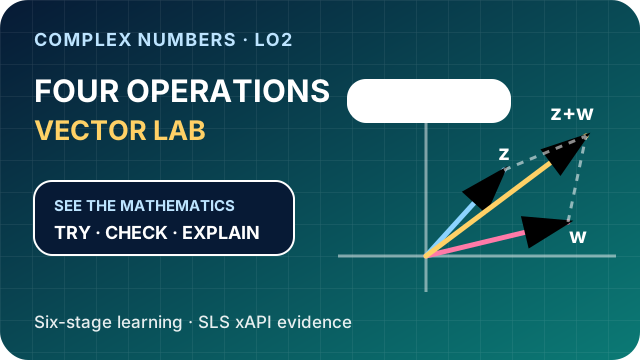
- The four operations on complex numbers
- Equality of complex numbers
- Complex conjugates
- Complex roots of quadratic equations
- The conjugate-root theorem for real-coefficient polynomials
- Argand diagrams, modulus, and argument
- Geometric effects of conjugation, negation, addition, subtraction, and multiplication by i
This step is important. If I had simply asked, “Turn this document into HTML,” I might have received a digital worksheet. Instead, I asked for one purposeful learning experience per objective.
What made the interactives educationally stronger
Each activity was designed as a six-stage journey rather than a collection of answer boxes. A typical sequence is:
- Recognise: identify the idea or representation.
- Interpret: connect notation to a visual meaning.
- Apply: perform the core procedure.
- Diagnose: confront a common misconception.
- Connect: link symbolic and geometric representations.
- Transfer: solve a less familiar problem using the concept.
The “Show me visually” button is especially important. It is not merely a button that displays the final answer. It reveals a worked visual explanation after the learner has attempted the task. This creates a cycle of try → check → explain → retry.
For example, complex-number division is coordinated with the conjugate of the denominator; conjugation is shown as reflection in the real axis; multiplication by i is shown as a 90-degree anticlockwise rotation; and complex roots are connected to symmetric points on an Argand diagram.
Why I used one generator instead of editing eight folders
The first version already had eight output folders, but the maintainable part is the _source folder. It contains the objective data, shared page template, shared styles, shared interaction logic, build script, and validator.
When I later asked for a mathematical editor that accepts fractions, roots, powers, and π, the correct system-level fix was to update the shared source once and rebuild all eight outputs. That avoided eight manual edits and ensured that the folder version and ZIP version stayed identical.
This is a valuable follow-up instruction for any repeated project:
Find the canonical source or generator. Make the change there, rebuild every linked output, and batch-test the complete set. Do not patch only the example I mentioned.
How exact mathematical input was added
Ordinary HTML number boxes are comfortable with decimals such as -0.2, but students may reasonably answer with exact values such as -1/5, √3/2, 2π/3, or powers. To support mathematical notation, the activities use MathLive, an open-source mathematical input library released under the MIT licence.
The MathLive runtime, fonts, and keyboard assets were bundled locally in every activity instead of being loaded from an external content-delivery network. That matters in an embedded SLS activity, where outside network resources may be unavailable. The project used MathLive 0.109.2; the official integration guide and virtual-keyboard guide explain the underlying components.
The checker normalises equivalent forms, so the complex-division activity accepts the exact pair -1/5 and -2/5 as well as the decimal pair -0.2 and -0.4. This is a good example of AI-assisted development still requiring a precise educational requirement: “accept mathematically equivalent forms,” not merely “make the input look mathematical.”
How the SLS xAPI package was preserved
I supplied a ZIP that was already known to work in SLS. Codex treated its xAPI files and integration block as a contract. The proven wrapper stayed in place, while the mathematics experience became the new payload.
This separation reduces risk:
- Preserved: the known-good xAPI wrapper, launch bridge, and required package structure.
- Changed: the questions, visuals, feedback, mathematical input, teaching flow, thumbnails, and guide pages.
Automated SHA-256 checks confirmed that the protected xAPI library files stayed byte-for-byte identical to the reference package.
The part beginners should not skip: validation
A page looking correct once on my computer is not enough. Codex ran automated and browser-based checks. The final project evidence recorded:
- 8 learning objectives
- 8 activity folders
- 8 SLS-ready ZIP files
- 48 learning stages
- 0 validation errors
- folder-to-ZIP byte equality
- unchanged protected xAPI files
- local MathLive runtime, fonts, keyboard assets, and licence in all eight packages
- desktop and 390 px mobile checks
- exact-fraction acceptance in the live complex-division task
- public-file hash checks after deployment
For deployment work, I asked Codex to upload only the necessary changed files and then compare local and public hashes. “Upload completed” is weaker evidence than “the public file matches the local file.”
The eight finished interactives
- Complex Numbers: Extending the Number System
- Complex Arithmetic Vector Lab
- Complex Equality Component Balance
- Conjugate Mirror Studio
- Complex Quadratic Root Explorer
- Conjugate-Root Polynomial Detective
- Argand Modulus and Argument Observatory
- Argand Transformation Workshop
Useful follow-up prompts
A novice does not need to predict every requirement in the first message. After inspecting a draft, I can continue with short, specific requests such as:
- “The answer boxes should accept exact fractions and roots. Make this a shared source change, rebuild all eight folders and ZIPs, and retest them.”
- “At 390 px wide, check that the mathematical keyboard is visible and that there is no horizontal overflow.”
- “Create a unique thumbnail for each objective so a teacher can identify the mathematical action at a glance.”
- “Preserve the xAPI library files byte-for-byte and prove it with hashes.”
- “Create a guide page for every activity and add it as an Article link in the catalogue.”
- “Upload only the changed files, then verify the real public URLs and hashes.”
Common problems and what I learned
| Problem | Lesson |
|---|---|
| A Windows path did not match the expected nested folder name. | List the real files first and use the exact path shown on the computer. |
| A library worked online but failed inside an embedded package. | Bundle the runtime, fonts, and assets locally and test without relying on a CDN. |
| One sample looked fixed while other generated activities were unchanged. | Change the canonical generator, rebuild all outputs, and validate the entire batch. |
| An upload command reported success, but the wrong public path was checked. | Verify the exact live URL and compare the public file hash with the local source. |
| A decimal input was accepted, but an equivalent fraction was rejected. | Test representative exact and decimal forms, not only the appearance of the editor. |
A final checklist for duplicating the workflow
- Put the Word document and a known-good package in one clearly named project folder.
- Open that folder in Codex.
- Give Codex the exact paths and the full outcome, not only “make an interactive.”
- Ask it to identify and list the learning objectives before building.
- Require one canonical source and automated generation for repeated outputs.
- Specify the teaching cycle, misconceptions, visual explanation, retry, accessibility, and mobile requirements.
- Protect known-good integration files and verify them with hashes.
- Require local/offline libraries for embedded environments.
- Run automated validation and real browser tests.
- Upload only changed files and verify the public result—not just the upload log.
What was actually groundbreaking?
The breakthrough was not that AI produced eight HTML pages quickly. It was that a curriculum document, pedagogical requirements, an existing technical package, a shared generator, open-source mathematical input, and automated quality checks were combined into one traceable production workflow.
The teacher remained responsible for the learning goals and quality criteria. Codex accelerated the inspection, implementation, repetition, testing, packaging, and deployment. That partnership turned a static question bank into a set of visual, misconception-aware learning experiences that can be improved systematically.
Explore the complete collection: search “complex” on I Want 2 Study, or browse the Mathematics interactive-resources catalogue.
References: OpenAI Codex app guide; MathLive source repository; MathLive MIT licence; MathLive integration guide; MathLive virtual-keyboard guide.
No comments:
Post a Comment